

Construction
The job, from the win to the site
Win the work, run each job against its programme, write the safety paperwork, keep the site meetings and chase the Actions, all in one place. Saphion connects to the tools you already use, and Beacon answers from your own records.
Three jobs Saphion does for a contractor
Win it, then start it
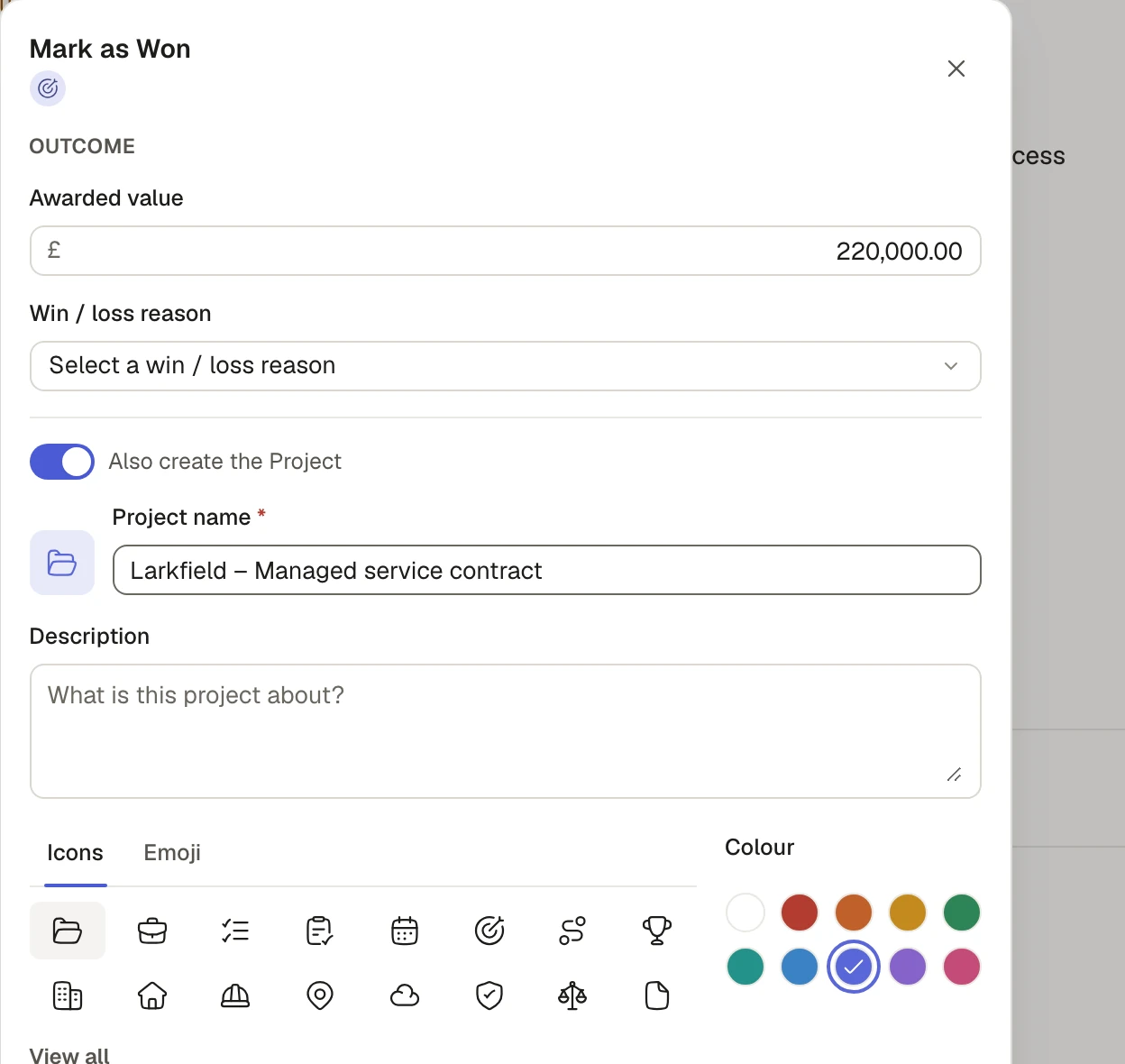
Track leads and opportunities through your own stages in CRM. When you mark an opportunity as won, the numbered Project is made in the same step, so the people running the job start from the sales record rather than from a blank page.
Run it against the programme
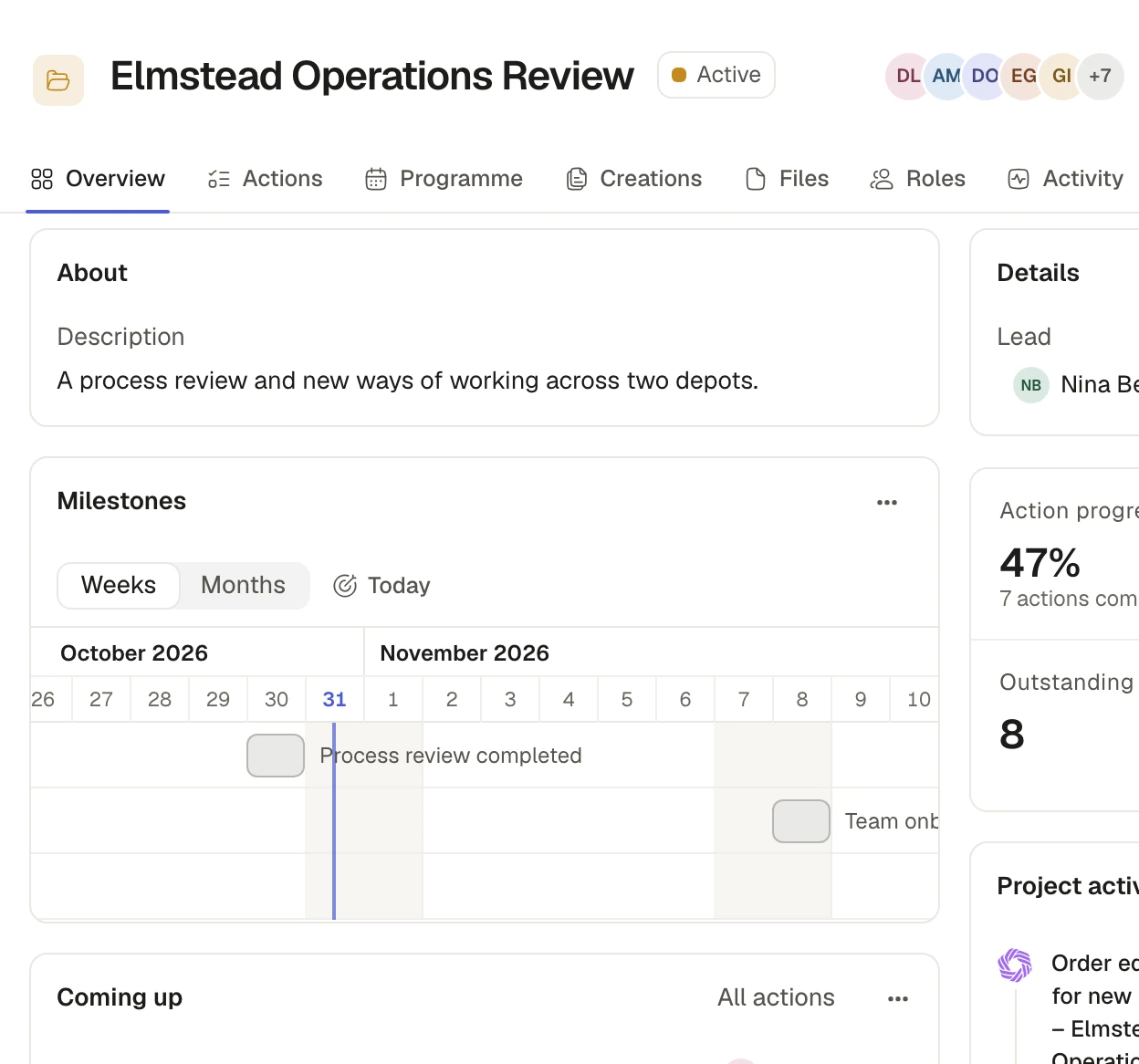
Each job is a Project holding its Actions, files, people and conversations. Upload the programme from Asta Powerproject, Primavera or Microsoft Project, or from a spreadsheet, and see its milestones and lines on a timeline by week or month. Upload a newer file and the lines update by their source ID instead of doubling.
Write the safety paperwork
With RAMS, describe the job and Saphion writes the risk assessment and the method statement as one Document in your own Word forms, from your Hazard library. Your competent person checks it before it goes to site.
One record from the sales call to the job number
Companies and people are shared across Saphion, so a Project names its client from the same Companies your sales team works from. Attach Outlook emails to the right opportunity, turn a request into an Action, and see the forecast against your target.
Site meetings that write themselves up
Add Notetaker to a Microsoft Teams meeting and, when it ends, you have a private Document with the recap, the decisions, suggested Actions and the transcript. File it in the Project so the team can open it. Notetaker joins only meetings you choose, and you confirm that everyone has been told and has agreed.
How Notetaker worksPlan the visit together, then make it Actions
Use a Whiteboard to plan a site visit or map out next month’s rota: sticky notes, sections, arrows and tables, live with your team. When the plan is settled, select the notes and make them Actions in one go, each linked back to its note.
How Whiteboards workLet the routine run itself
An Automation is a rule that starts when something happens in your work, such as an Action being marked done or a date arriving, and then does the steps you chose. A step can ask someone to approve before it carries on. Test it on a real record first: nothing is sent or changed until you switch it on. Every run shows what each step did.
How Automations workAlongside the tools you already use
See every connectionMicrosoft 365
Connect Outlook, Teams, OneDrive and SharePoint once, each person’s own, and Beacon and your dashboards use the same connection.
PlanRadar
Link a PlanRadar project to a Saphion Project and ask Beacon about its tickets. Saphion only reads from PlanRadar and copies nothing.
Away from the desk
Saphion fits a phone, with a bottom bar and Beacon as its own tab, so the site team can open the Project from where they are.
Ask in plain words
Meet BeaconBeacon answers from your own Projects, Actions and files, with references that open the record. It acts only as the person asking could, and asks first before it changes anything you have set to need approval. Your own assistant, such as Claude, Claude Code or Codex, can work with your Saphion records under the same rules.
Where each part of a job lives
| On the job | In Saphion |
|---|---|
| Winning the work | CRM: leads, opportunities and your own stages. |
| The job itself | A Project, with its Actions, files, people, programme and activity. |
| Risk assessments and method statements | RAMS, written into your own Word forms. |
| Meetings | Notetaker, for Microsoft Teams meetings. |
| What is due | Actions and My actions, with a list, calendar or board. |
| Site issues | PlanRadar tickets, read by Beacon from a linked Project. |
Get started
Run your next job on Saphion
Tell us about the work you do and the tools you use today.